 SnapSong
When people want to make a photo sing, they usually mean one of two things. The first is a lip-sync video: you pick a photo with a face and a song that already exists, and an AI animates the mouth so the person appears to sing along. The second is an original song: an AI looks at your photo and writes a brand-new track about it, with its own lyrics, melody and vocals. Both are real products, both are fun, and they solve completely different problems. It is worth knowing which one you want before you download anything.
Lip-sync apps are built for laughs. Feed one a clear, front-facing portrait and a famous chorus, and seconds later grandma is belting opera into the family group chat. The result is a short video, the humor comes from the mismatch, and the music is a track you already know. That also defines the limits: the photo needs a visible face to animate, the audio is borrowed rather than written for you, and the lyrics have nothing to do with the moment in the picture.
A photo-to-song app works the other way around. Instead of putting someone's mouth on an existing track, the AI reads the photo itself (the colors, the people, the place, the mood) and writes an original song about it. The lyrics can mention what is actually in the frame, the style matches the feeling of the image, and the result is a real audio track that did not exist five minutes earlier. No face required: a sunset, a pet or a parked car can become music this way too.
Which one do you want?
A quick way to decide:
- You want a funny video of grandma singing a hit. Lip-sync tool. That is exactly what it is for, and nothing does it better.
- You want a meme for the group chat, set to a song everyone knows. Lip-sync tool again. The recognizable track is the joke.
- You want a real new song about the moment in the photo. Photo-to-song app. The lyrics can carry a name, the place and the feeling, because the song is written from your image.
- Your photo has no face. Photo-to-song app. A lip-sync tool has nothing to animate in a sunset or a landscape.
- You want something to keep or give: an actual track to play and share. Photo-to-song app. You end up with a song, not a video clip of a borrowed one.
If the lip-sync video is what you came for, search the App Store for lip sync or face animation apps; several do exactly that, and this guide will not try to talk you out of it. If you want the original song, that is what SnapSong does. Here is the walkthrough.
How to do it with SnapSong
-
Get the app
Download AI Music Maker: SnapSong from the App Store. It is free to download and try, needs iOS 18.0 or later, and runs on iPhone and iPad. No account needed.
-
Pick the photo you want to hear
Take a new picture with the camera or choose one from your library. A face helps a lip-sync app, but not here: any photo with a bit of meaning works, from a portrait to a sunset.
-
Guide the song with keywords, if you want
Add a name, a feeling, a memory or a music style; there are more than 50 styles, including pop, rock, rap and acoustic. Skip this step and SnapSong interprets the photo on its own.
-
Start the song
Generation takes about 2 to 5 minutes and needs an internet connection. Progress shows in real time on your Lock Screen and Dynamic Island, so you can leave the app while it works.
-
Listen, read the lyrics, share
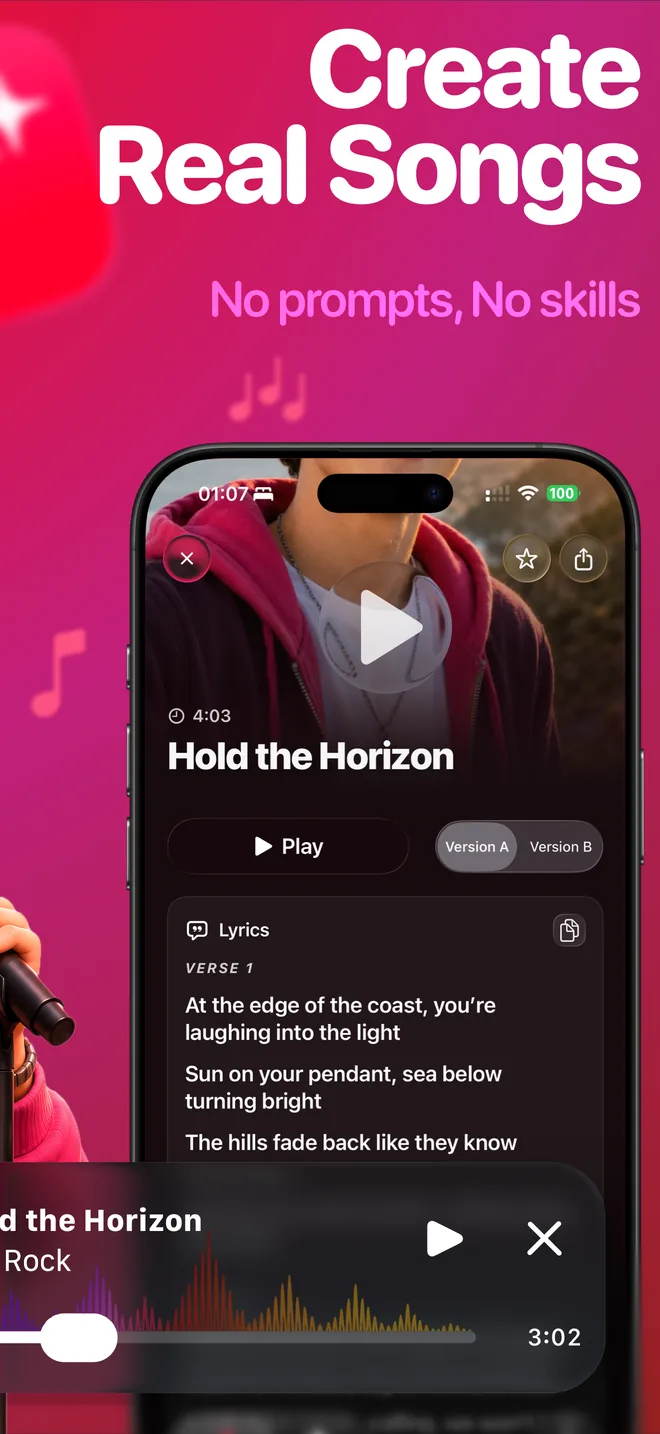
The finished song arrives with vocals, melody and full readable lyrics. It stays saved locally on your device, and the iOS share sheet sends it anywhere.
What to expect, and what not to
The honest part first: SnapSong does not animate your picture. The photo stays still; what you get is a brand-new song about it, as an audio track you can play, save and share. Every song is generated fresh from your image, so results vary with the photo: expressive pictures with a clear subject give the AI more to write about. Lyrics arrive in English, Portuguese, Spanish, French or German, detected automatically from your device language.
SnapSong is free to download and try. SnapSong Pro, a subscription, unlocks more song creation, full song playback, downloads, faster generation and two AI versions per photo; subscriptions auto-renew until cancelled in your App Store account settings. Your photos and songs stay stored locally on the device, and the photo is only analyzed when you start a song. If you plan to use a song beyond personal listening, check the Terms of Use.
Want to hear what your photo has to say?

 AI Music Maker: SnapSong, free on the App Store