 SnapSong
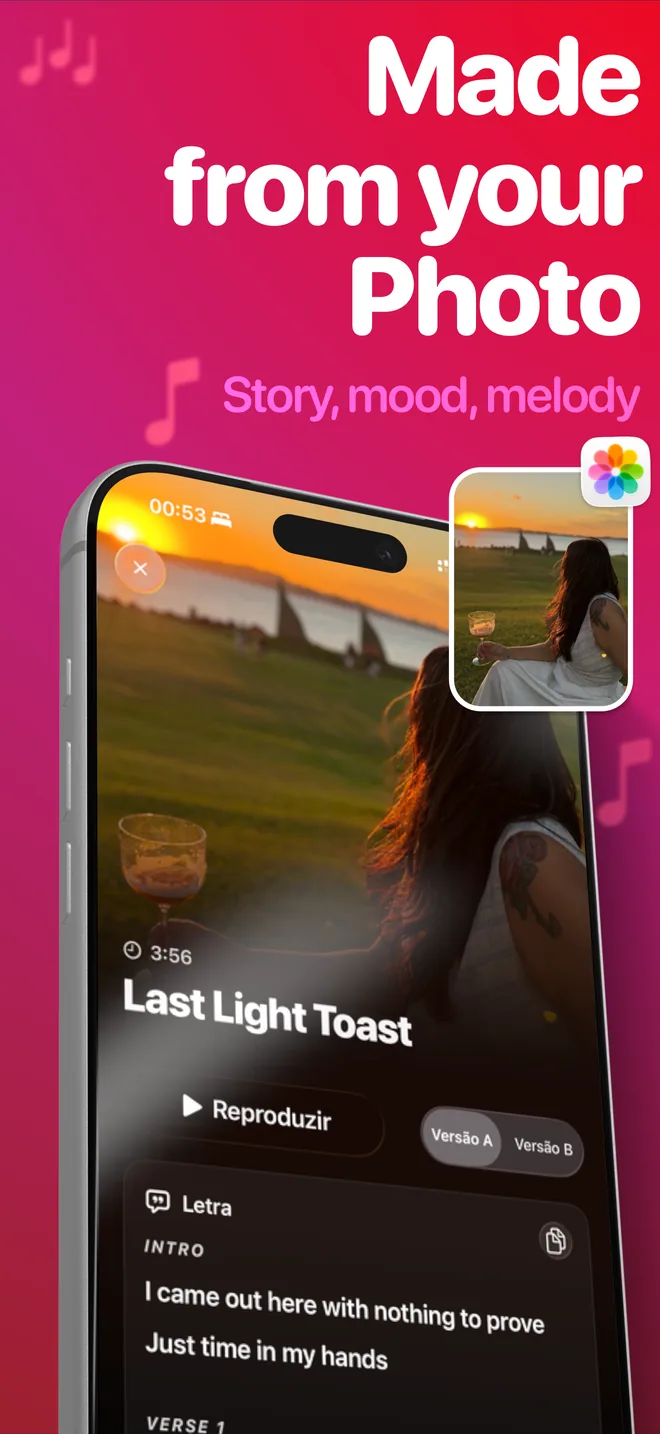
To turn a picture into a song, you need an AI that can get from an image to lyrics, a melody and a voice. Today there are two ways to do that. The first is a browser tool built around text prompts: you describe your photo in words, and the tool generates a song from your description. The photo itself never enters the process. The second is a native app that starts from the photo: you pick the image, the AI analyzes it directly, and the song is built from what it finds there.
What does an AI actually read in a photo? More than you might expect. It picks up the colors and the light (a golden sunset reads differently from a neon-lit street), the people and their expressions, the place, and the overall mood of the moment. Those observations become creative inputs: a title, lyrics that mention what is really in the frame, and a music style that fits the feeling.
For personal memories, starting from the photo beats writing a prompt, and the reason is simple: a text prompt is only as good as your description. Most of what makes a memory yours (the light that afternoon, the way someone is laughing, the mess on the birthday table) is exactly the stuff you would never think to type. The photo already carries all of it. Hand the AI the picture, and it works with details you did not have to put into words.
If you want the text-prompt route, several browser tools can do it. If you want the route that starts from the photo, on iPhone, that is what SnapSong was built for. Here is the walkthrough.
How to do it with SnapSong
-
Get the app
Download AI Music Maker: SnapSong from the App Store. It is free to download and try, requires iOS 18.0 or later, and works on iPhone and iPad. No account needed.
-
Pick your photo
Snap a new one with the camera or choose one from your library. A sunset, a pet, a birthday table, a trip: any moment with meaning works.
-
Add optional keywords
A name, a feeling, a memory or a music style. This step is optional; skip it and SnapSong interprets the photo on its own. There are more than 50 styles to pick from, including pop, rock, rap and acoustic.
-
Start the song
Generation takes about 2 to 5 minutes and needs an internet connection. You can follow the progress in real time on your Lock Screen and Dynamic Island, so feel free to leave the app.
-
Listen, read, share
The finished song arrives with vocals, melody and full lyrics you can read line by line. It stays saved locally on your device, and you can share it anywhere through the iOS share sheet.
Tips for a better song
A few small choices make a real difference in what comes back:
- Expressive photos work better. A clear subject, faces, movement or strong light give the AI more to write about than a flat, empty frame.
- Add a name. One keyword like "Marina" or "Dad" is often the difference between a nice song and a personal one.
- Set the style if you care about it. If you already hear the song as acoustic or as rap, say so with a style keyword instead of leaving it to chance.
- Lyrics follow your device language. SnapSong writes and sings in English, Portuguese, Spanish, French or German, detected automatically from your iPhone's language.
What to expect
Every song is generated fresh from your image, so results vary with the photo: the same picture can lead to two quite different songs, and that is part of the fun. SnapSong is free to download and try. SnapSong Pro, a subscription, unlocks more song creation, full song playback, downloads, faster generation and two AI versions per photo; subscriptions auto-renew until cancelled in your App Store account settings. Your photos and songs stay stored locally on the device, and the photo is only analyzed when you start a song. If you plan to use a song beyond personal listening, check the Terms of Use.
Ready to hear your photo?

 AI Music Maker: SnapSong, free on the App Store