 SnapSong
It can, and the result is more specific than you might expect. Give an AI song generator one photo of your pet and it can write an original track about exactly what it sees: the flop of one ear, the shredded toy guarded like treasure, the corner of the couch that stopped being yours years ago. Because the lyrics come from the scene in the photo, the song ends up being about your pet, not about a generic animal.
One clarification first, because "pet song" means two different things online. Some tools make your pet look like it is singing: they animate the mouth in a video, lip-synced to an existing track. That is fun, but the music itself has nothing to do with your pet. The other thing, the one this guide covers, is getting an original song written about your pet, from its photo: new lyrics, new melody, new vocals. If you want the animated singing photo instead, read our guide on making a photo sing.
Dogs and cats happen to be excellent song subjects. A pug earns a funny rap. A senior cat earns a soft acoustic number. And an AI song about your dog gets better the more character the photo carries: the beach run, the birthday hat, the deeply suspicious side eye. You do not need a dedicated cat song generator either; any app that writes songs from photos will treat a cat photo with the gravity it demands.
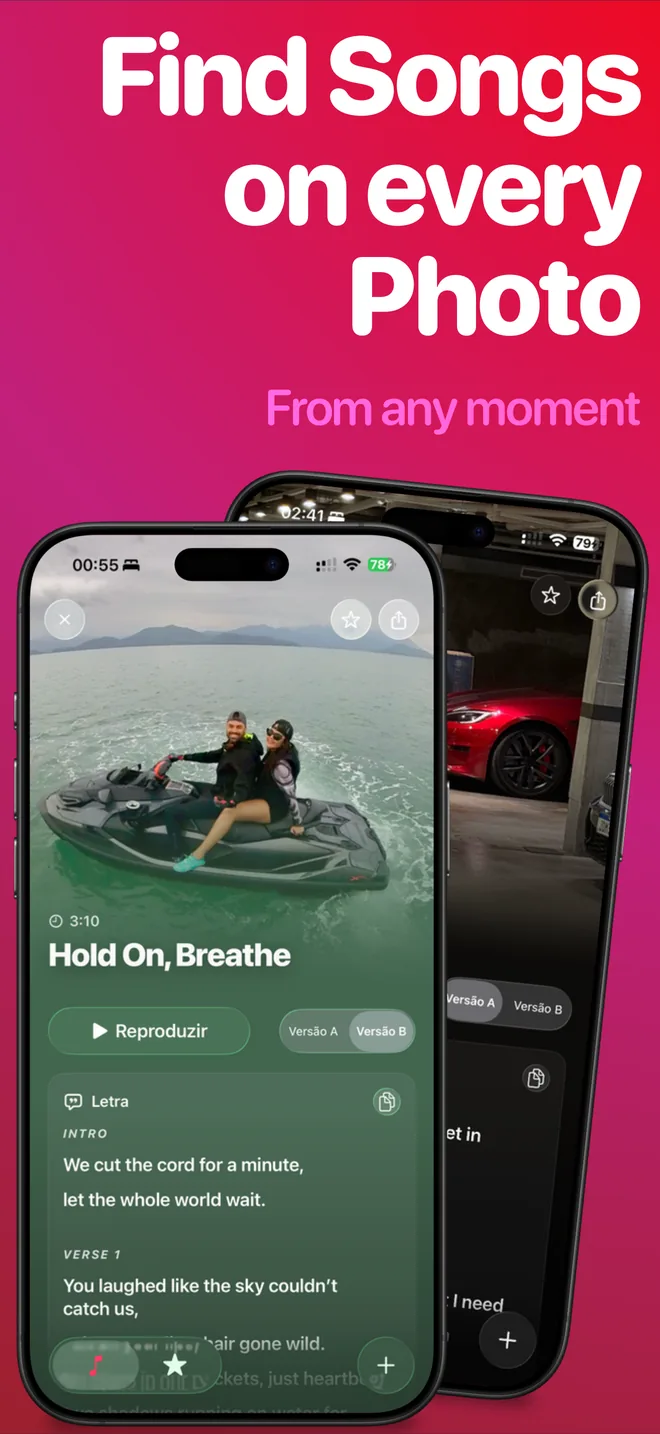
How to do it with SnapSong
- Pick a photo of your pet doing something characteristic. Mid-zoomies, loafing in a sunbeam, chin resting on your knee. Take a new picture or choose one from your library; a clear view of the pet gives the AI more to write about.
- Add keywords: the name plus a vibe. Type the pet's name and a direction, like "Biscuit, funny rap" or "Mia, soft acoustic". Keywords are optional, but the name is what turns a cute song into their song. There are more than 50 styles to lean on, from pop and rock to rap and acoustic.
- Start the song and follow along. Generation takes about 2 to 5 minutes, and progress shows in real time on the Lock Screen and Dynamic Island.
- Read the lyrics while you listen. Every song arrives with full readable lyrics, so you can catch the exact line where the AI noticed the toy in the frame.
- Save it or share it. Songs stay on your device, and the iOS share sheet sends the track anywhere. The family group chat is the classic destination.
Tips for a song that sounds like them
- Choose character over perfection. A slightly blurry photo of the zoomies says more than a posed portrait.
- Keep the pet as the star of the frame. If five things compete for attention, the lyrics may wander.
- Leave the props in. The chewed toy, the food bowl, the stolen sock: details in the photo become details in the song.
- Match the style to the personality. A song about a cat tends to land better slow and smug. Most dogs want energy.
- Try a second photo if the first song feels generic. Results vary with the picture, and a different scene often unlocks a much better verse.
Pet birthdays, gotcha days and goodbyes
Pet birthdays are the easy win. Take the party photo, hat and cake included, add the name and the word "birthday", and you have an anthem ready before the treats run out. Gotcha days work the same way: a photo from the day you met makes a surprisingly moving track.
Songs can also help with goodbyes. A photo of a pet who is gone can become a quiet keepsake: choose a calm style, add the name and a word like "thank you", and expect the result to land harder than you think. Take your time with it. The song will be there whenever you are ready to listen again.
What to expect
SnapSong is free to download and try. SnapSong Pro, a subscription, unlocks more song creation, full song playback, downloads, faster generation and two AI versions per photo. Song generation needs an internet connection, and the AI only knows what you show it or type: it will not guess your pet's name or breed on its own, it interprets the scene. That is also the fun part. The song is built from the one moment you picked.
Your pet has been building a personality for years. It takes one photo to give it a theme song.

 AI Music Maker: SnapSong, free on the App Store